Intelligent Redactions
Using AI to make sensitive public-records workflows safer and more efficient.
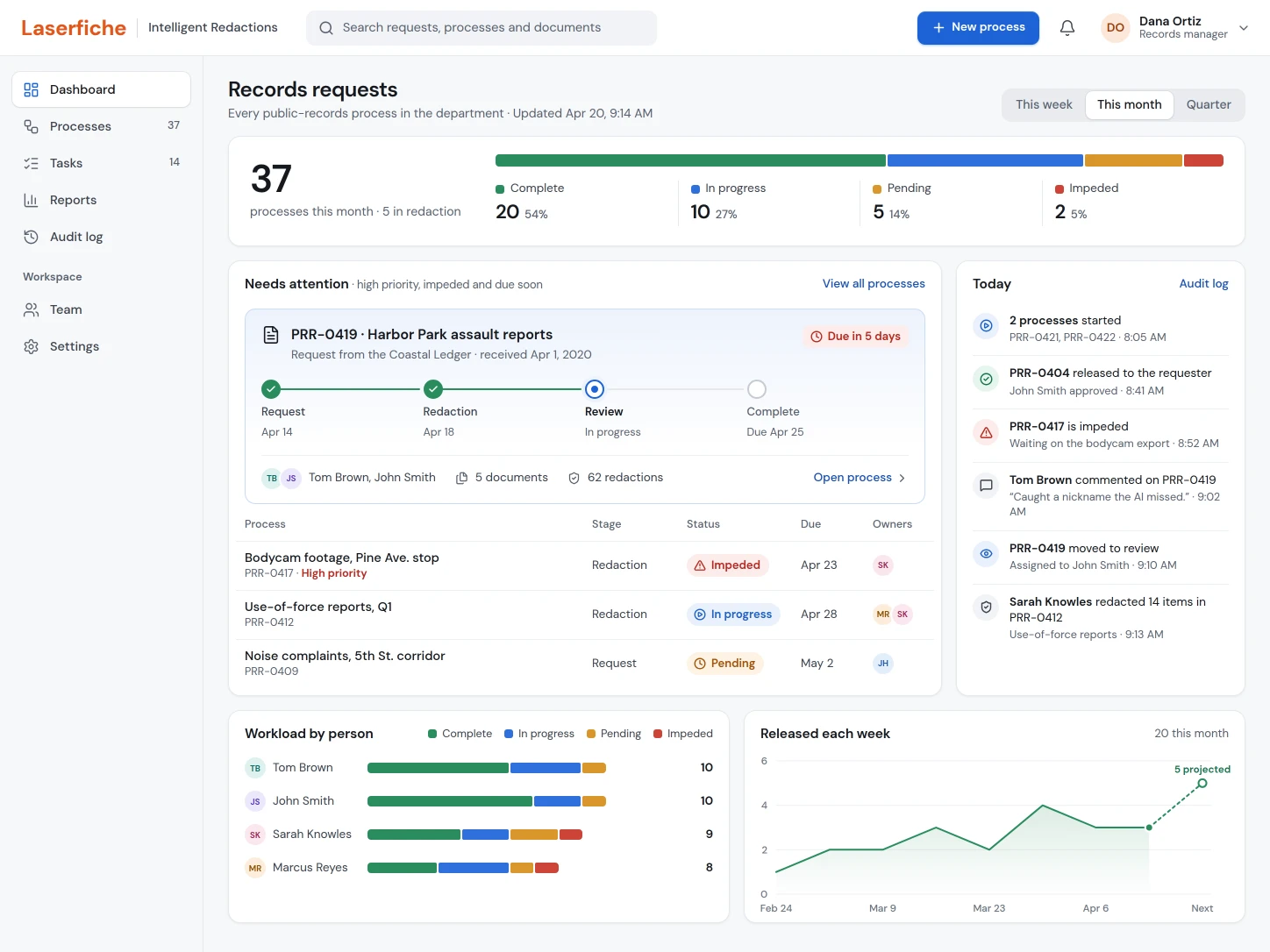
Police departments face strict public-records deadlines, scattered tools, and serious consequences when a sensitive detail slips through.
As disclosure obligations grew, departments had to release more records while still protecting sensitive information. With a multidisciplinary team, I explored an AI-assisted product that could coordinate requests, find likely redactions, support human review, and keep a clear audit trail from intake to public release.
As the junior UX designer, I owned the experience from discovery through validation: customer research, requirements gathering, service flows, interface design, prototype testing, and design mobbing with engineers as the concept evolved.
A high-stakes process spread across disconnected software.
Freedom of Information Act requests were rising, and departments had strict deadlines for releasing documents to journalists, citizens, and other third parties. The people doing the redaction worked under enormous pressure: one missed name, address, or officer identifier could put someone at risk, such as a person who had stepped in during an incident or an officer working undercover.
Teams relied on a mix of Laserfiche and third-party tools. The process was disjointed, error-prone, and often customized for each department. A single configuration could take hundreds of hours and stretch across weeks, and handoffs between people were hard to track.
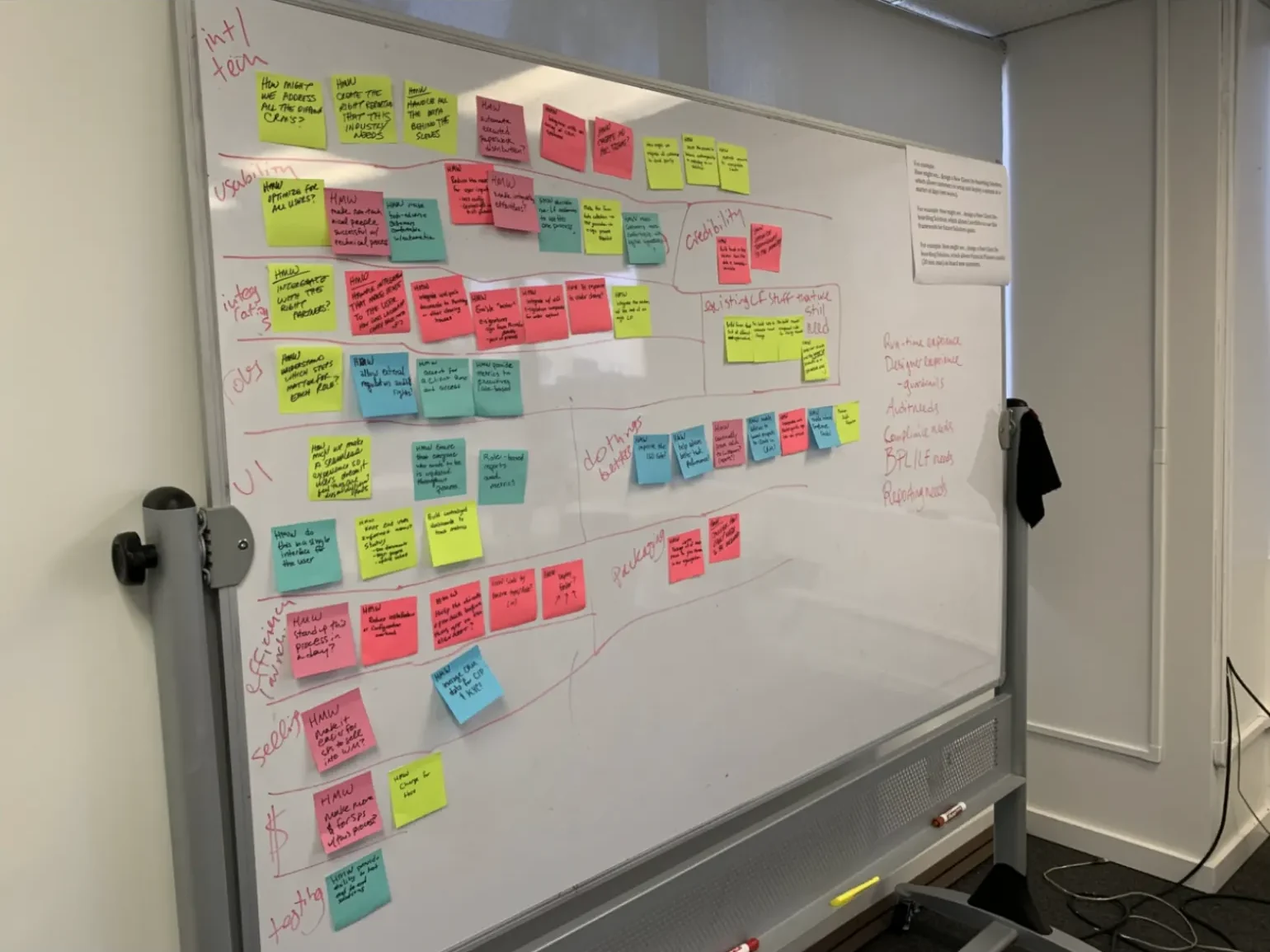
Start with questions before prescribing screens.
Our design and product group ran two “How Might We” workshops with the director of product design, the product managers, and the designers on the product. The format turns a challenge into an open question, which leaves room for several solutions instead of assuming the first idea is right.
We sorted the questions into thirteen themes. They covered how to make full use of the available AI, how the interface could prevent mistakes during handoffs and public release, how the product might adapt to law enforcement, financial services, and the military, and how pricing decisions would shape the design and its goals.
That gave the team a shared map of the system and made it easier to separate what the workflow truly needed from assumptions about what the AI could do.
Interviews with law enforcement made the risks real.
With other designers and Laserfiche’s industry marketing group, I interviewed police personnel about their department’s needs and the daily work of the people preparing records. Those conversations gave us perspectives we couldn’t have recreated inside the company.

“This product could be a game changer for police departments all across the country.”Police-industry consultant interviewed during discovery
- Redactors needed manual controls for anything the AI missed or got wrong.
- The people compiling requests needed powerful filters without a complicated interface.
- Teams needed to know when a document had already been released, so they didn’t redact it twice.
Learn from adjacent products when no direct precedent exists.
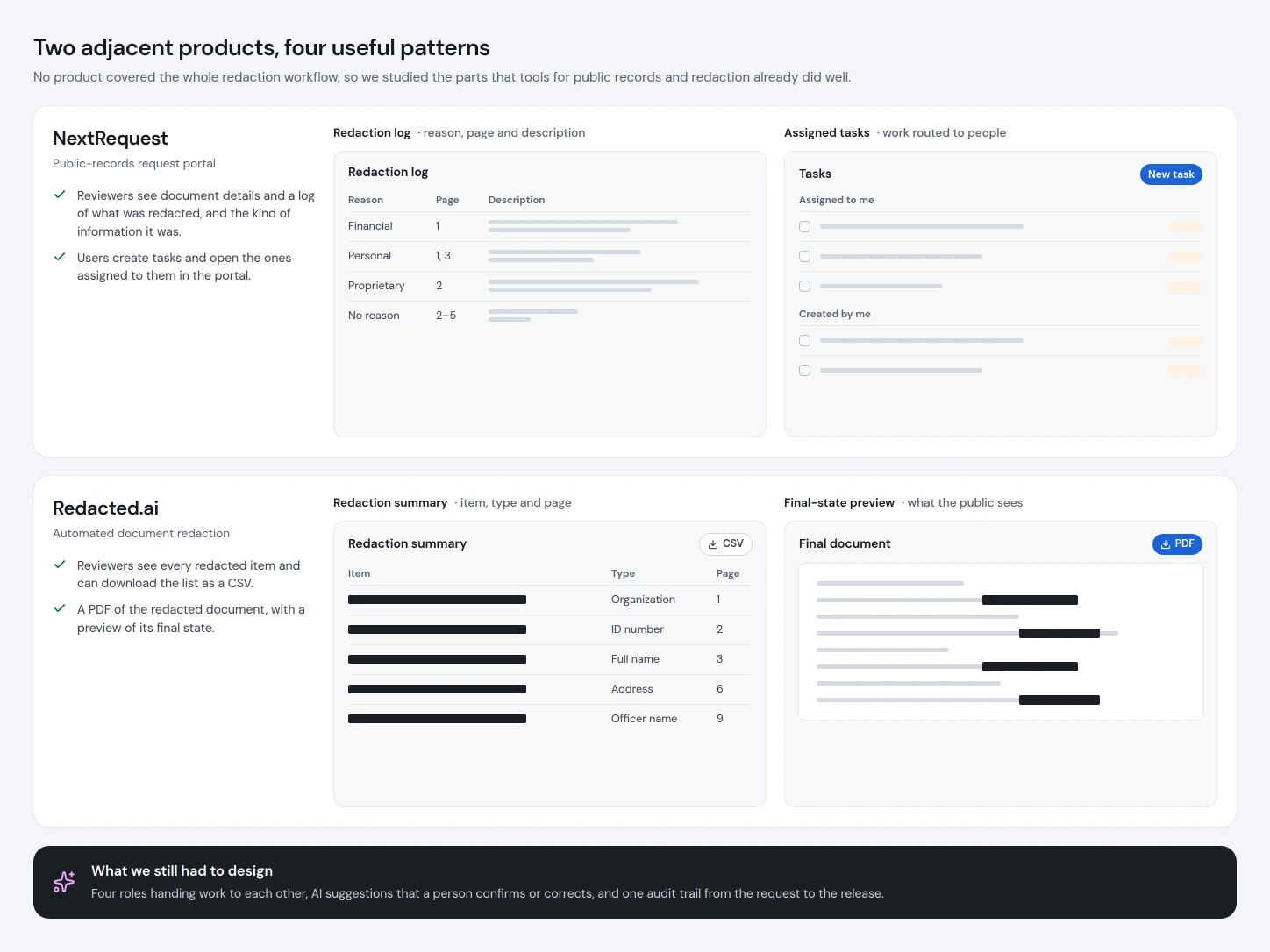
Our goal was to simplify, modernize, and improve the process for police departments. No existing product solved the whole problem, so I studied adjacent public-records and redaction tools for patterns worth borrowing.
NextRequest showed reviewers document details and a log of what had been redacted, and it supported assigned tasks. Redacted.ai listed the redacted information, offered the list as a CSV download along with a final PDF, and previewed the finished document.
Four roles, one traceable path to release.
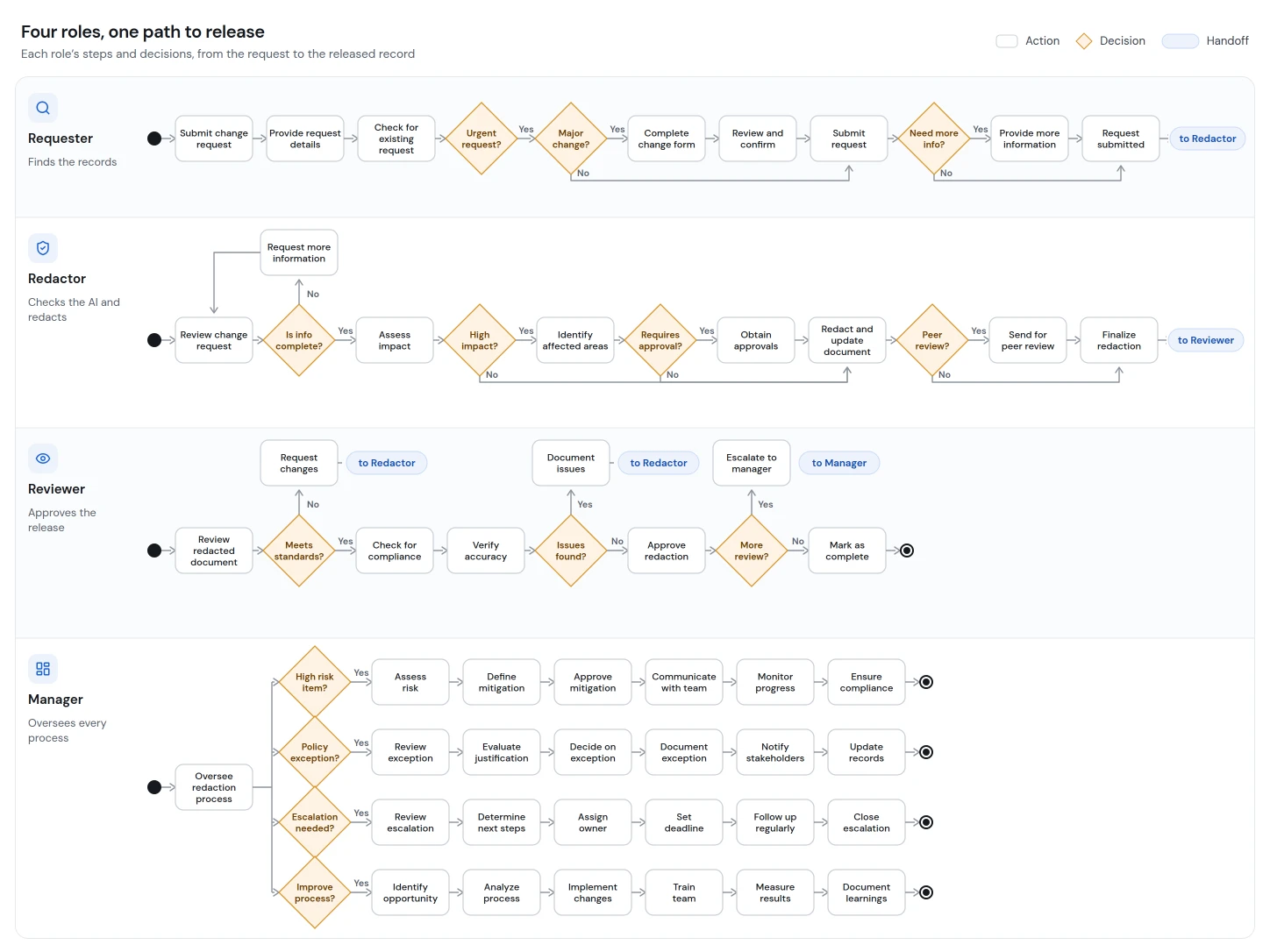
I mapped user flows to find the screens we would need and organized the work around four roles. Boxes are actions; diamonds are questions that can branch the path.
The requester received a records request, found the relevant documents, and handed them to a redactor. The redactor reviewed what the AI found and corrected anything it missed. A reviewer added another layer of security before the records were published, while a manager assigned and prioritized the work.
The flows exposed decision points, parallel work, and every moment ownership moved from one person to another. They became the foundation for task states, permissions, dashboards, notifications, and the information architecture.
Turn the flows into an MVP the team could test.
The service flows became interface designs that engineers used to build an MVP prototype. It gave us something concrete to put in front of users before the company committed to a full implementation.
Show process health first, then let managers dig in.
Managers needed a high-level view of every process they had created, including its overall health and any visible problems. From there they could drill into reports, review all processes, or open a specific process and manage its work in detail.
Dashboard
- Every process at a glance
One bar shows how the month’s 37 processes split across complete, in progress, pending and impeded.
- What needs attention first
High-priority, impeded and nearly due work rises to the top, with each process’s stage visible without opening it.
Process detail
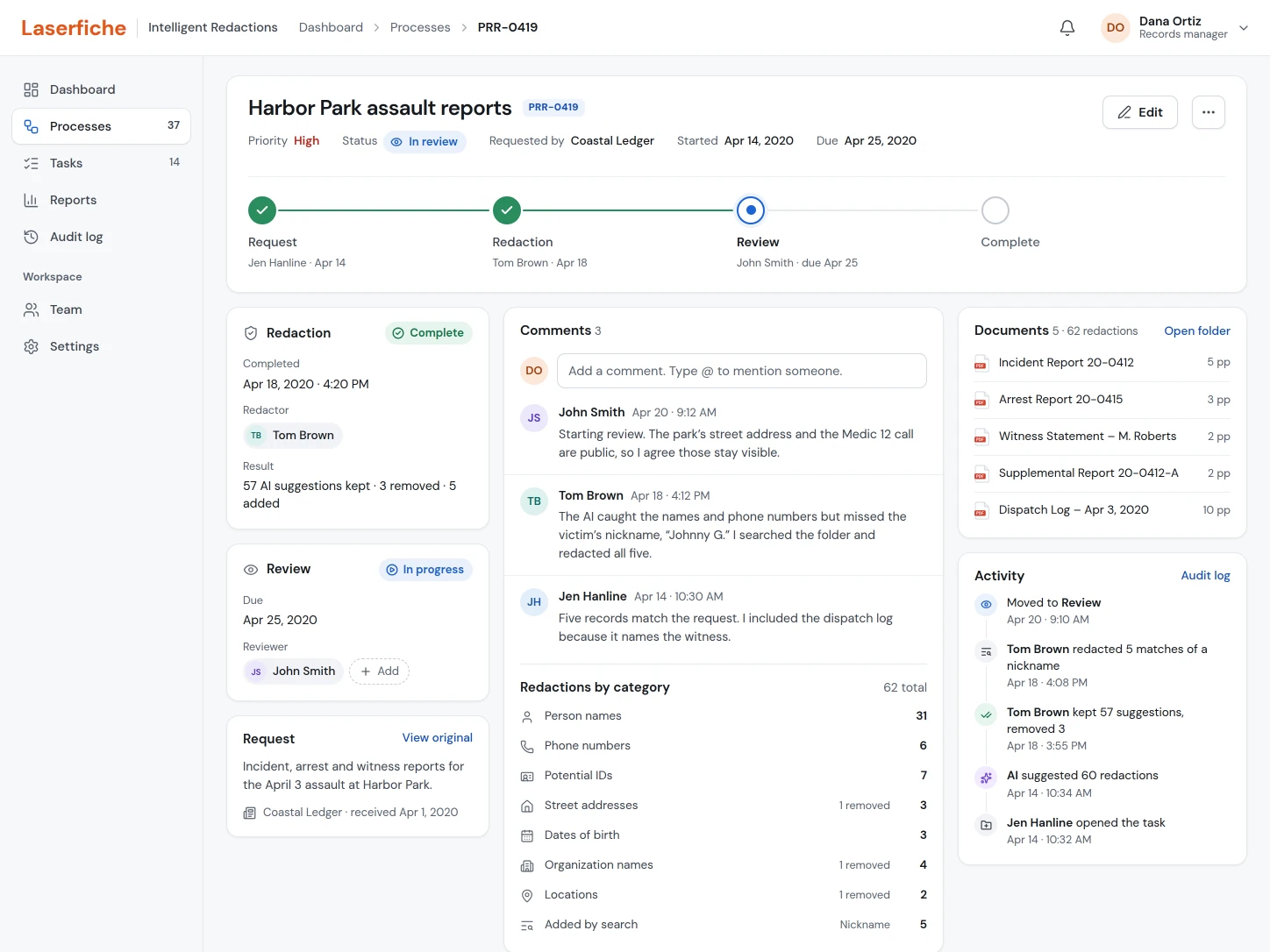
- Manage one process in context
Stages, assignments, comments, documents and the full activity history sit together, so managers never lose the thread.
Reports
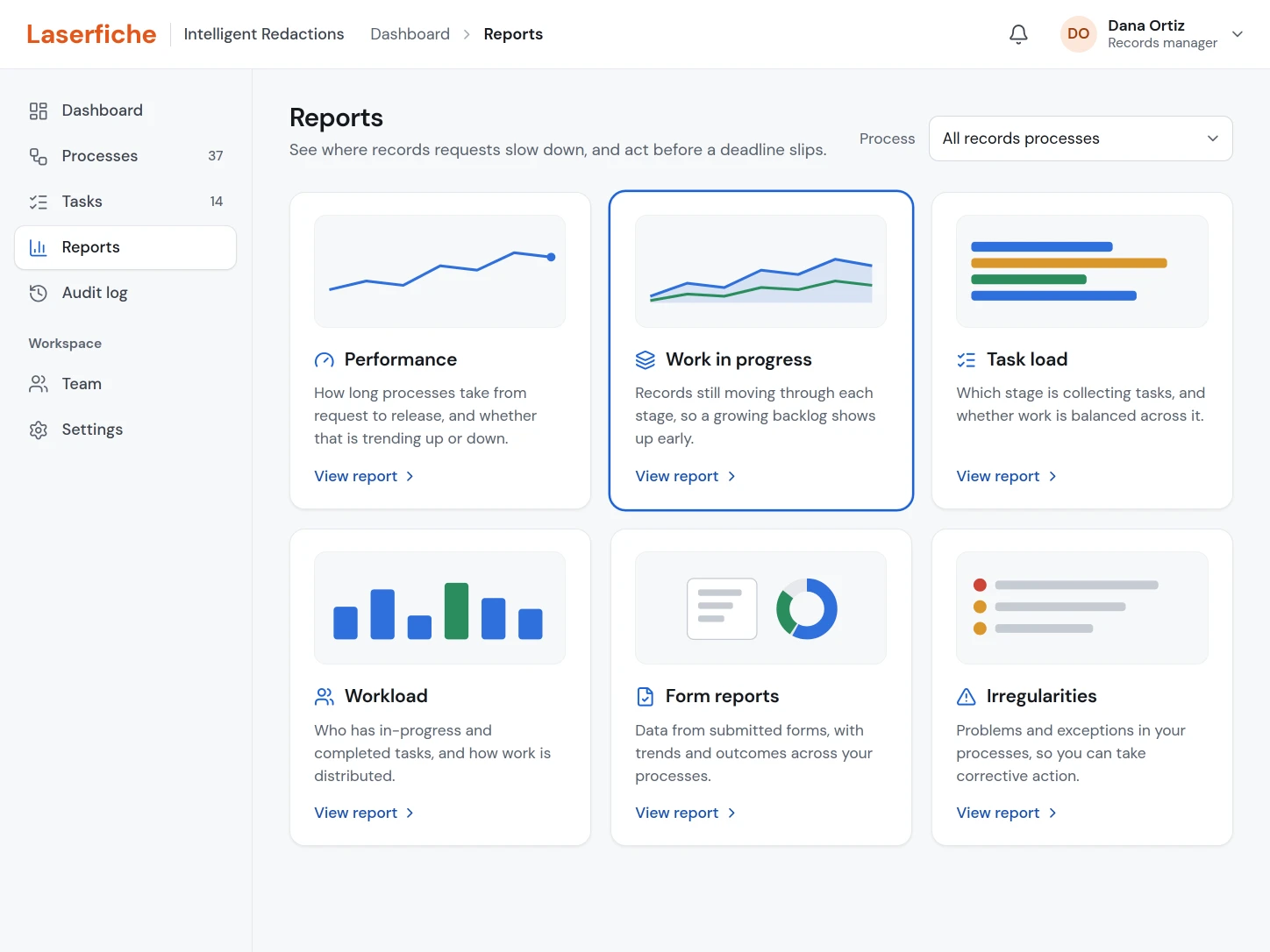
- Pick the report to open
Each report says what it helps a manager see, from how long processes take to where problems keep coming up.
Work-in-progress report
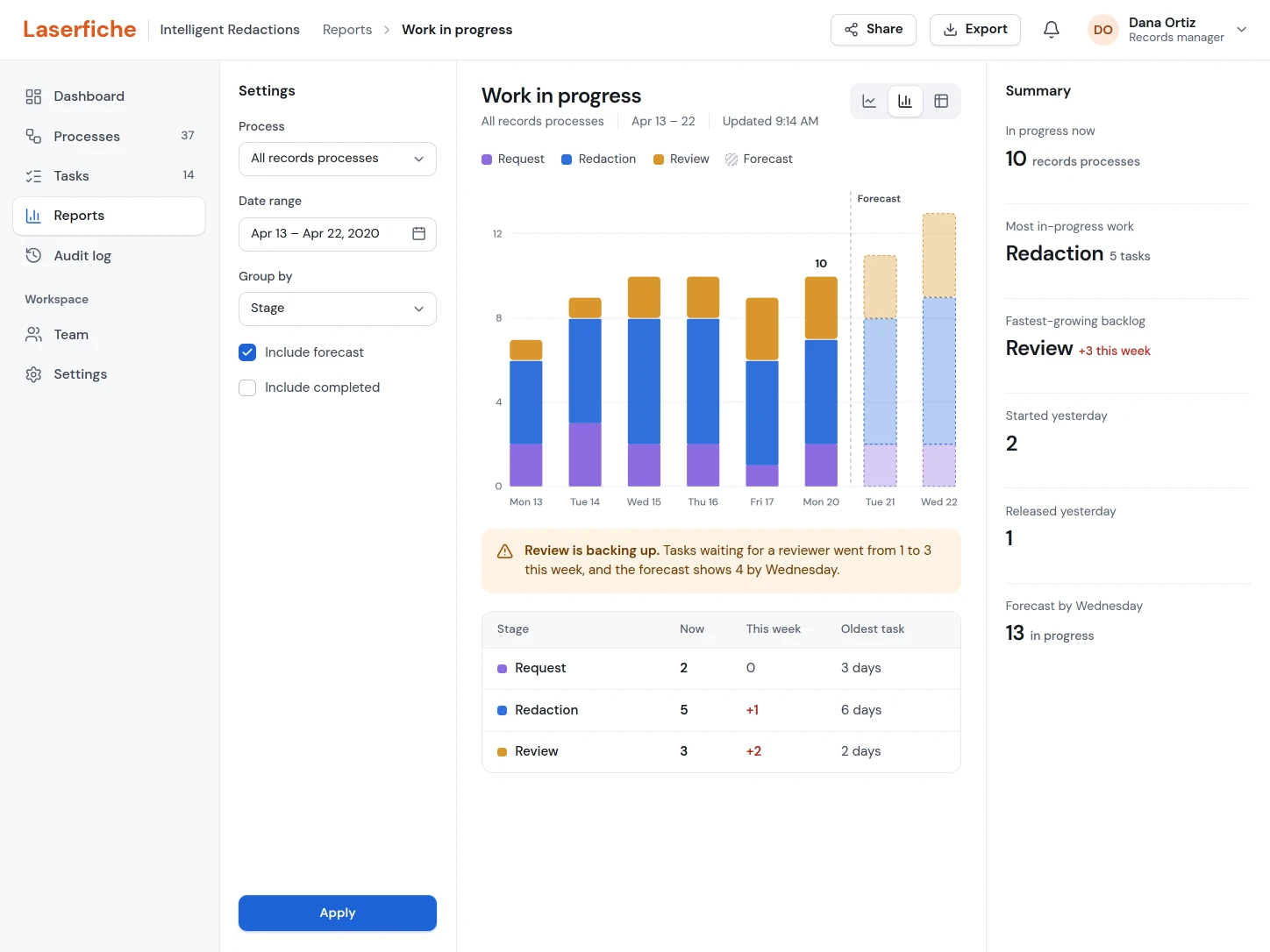
- See where work is piling up
Records in each stage by day, with a forecast, show which stage has the fastest-growing backlog.
Keep complex work organized at the task level.
A redactor worked from a task holding duplicate copies of the documents to review. The manager or requester created and managed that task folder, and the redactor could update its status and leave comments as the work moved along.
Task overview
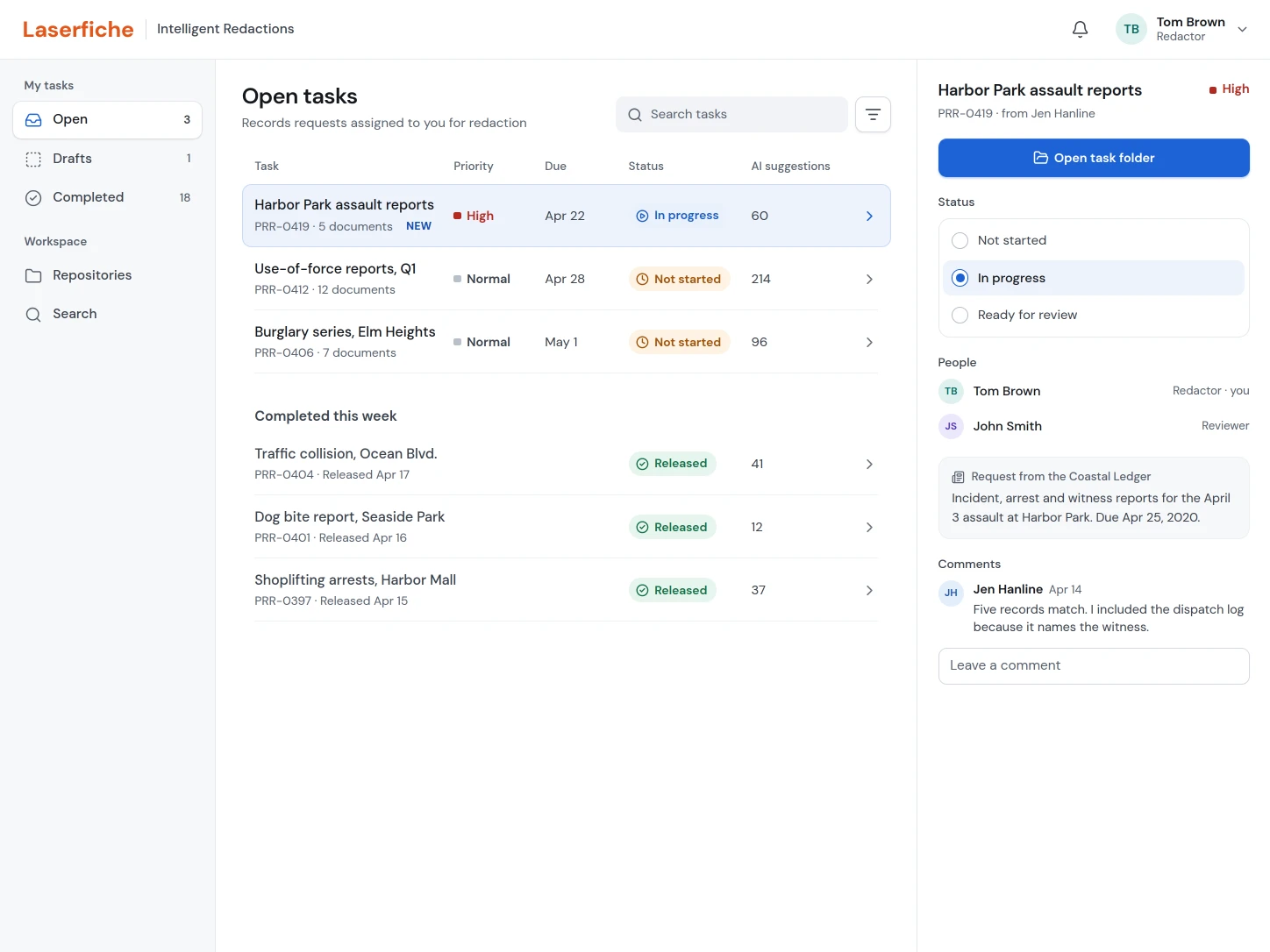
- Update the task as the work moves
Redactors change the status and leave comments on the task the manager or requester created.
Task folder
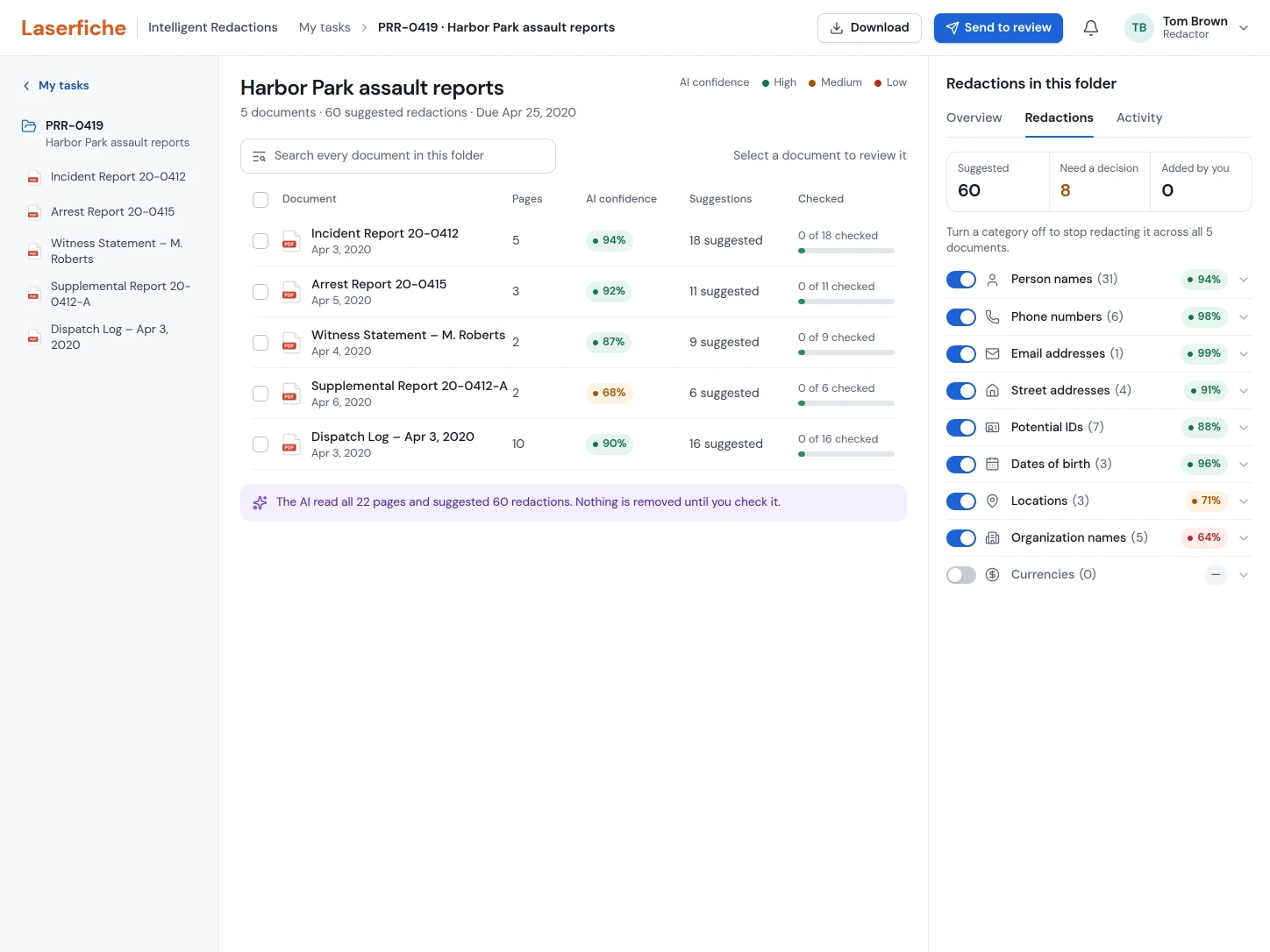
- See the AI’s work across the whole task
The folder summarizes automatic redactions for every document, grouped by what was found.
Let people correct the AI across a whole folder.
Redactors could see everything the AI redacted across every document in a task, redact information in bulk, and search the folder for every instance of a specific term.
Folder-level review
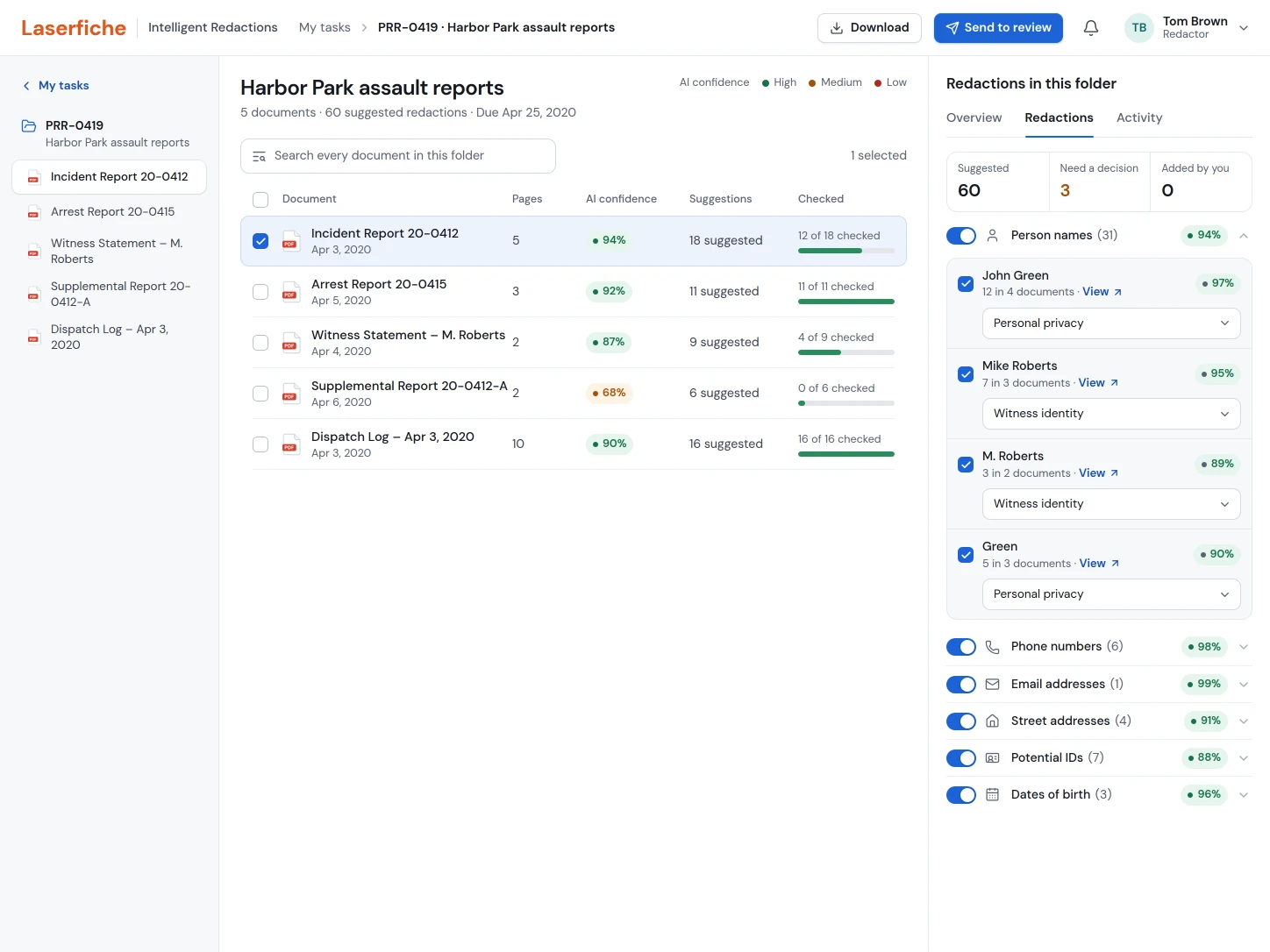
- Review and redact in bulk
Each name is grouped with every place it appears, so one decision and one reason cover them all.
Folder search
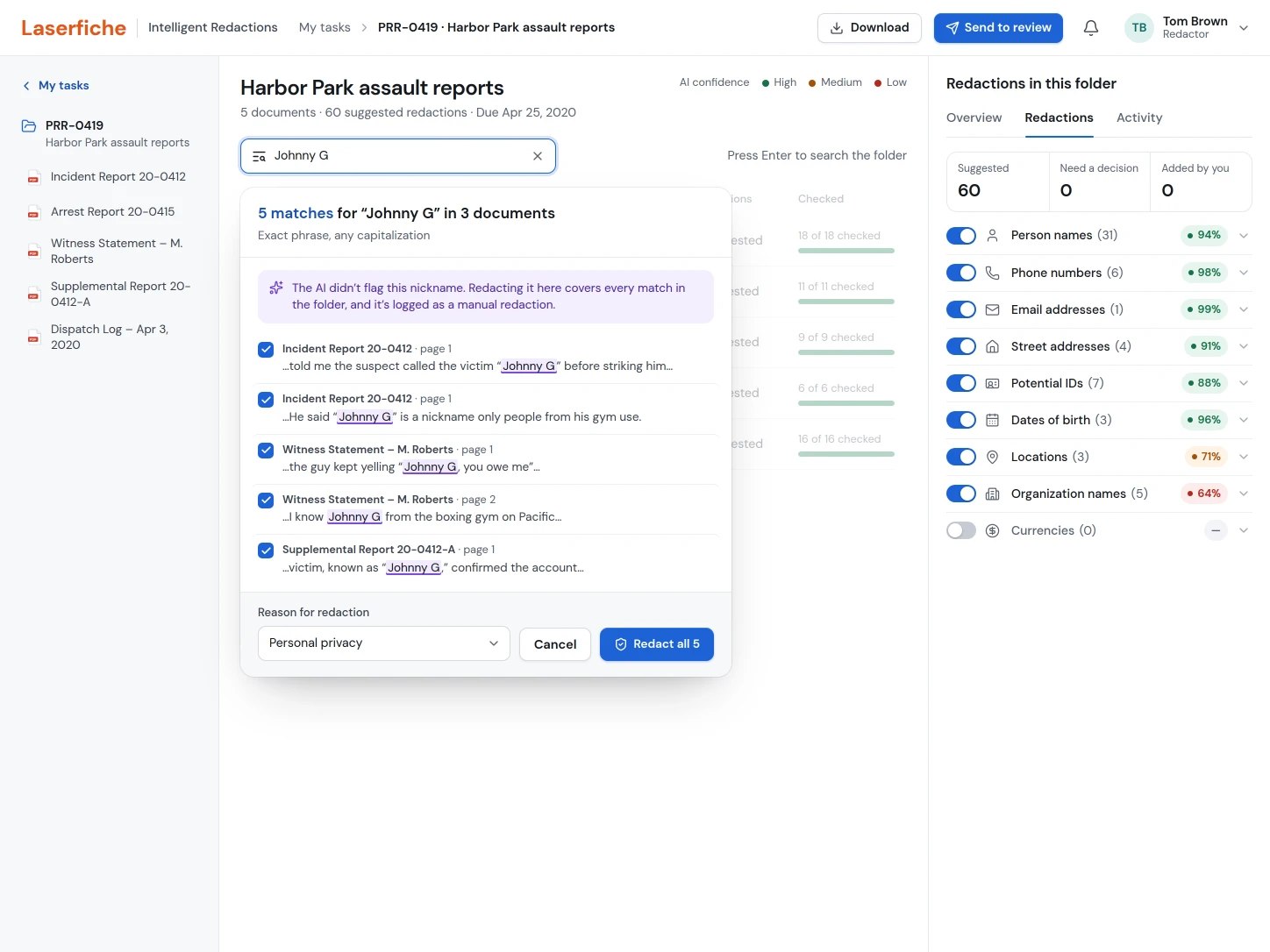
- Find what the AI missed
Search every document in the task for a term, like a nickname the AI didn’t flag, and redact all matches at once.
The AI suggested; trained people decided.
The document view treated automated detections as suggestions to review, not final answers. People could check the AI’s accuracy, adjust redactions by hand, and step through each item with Previous and Next. Work saved automatically to the cloud, so no progress was lost.
Review the AI’s suggestions
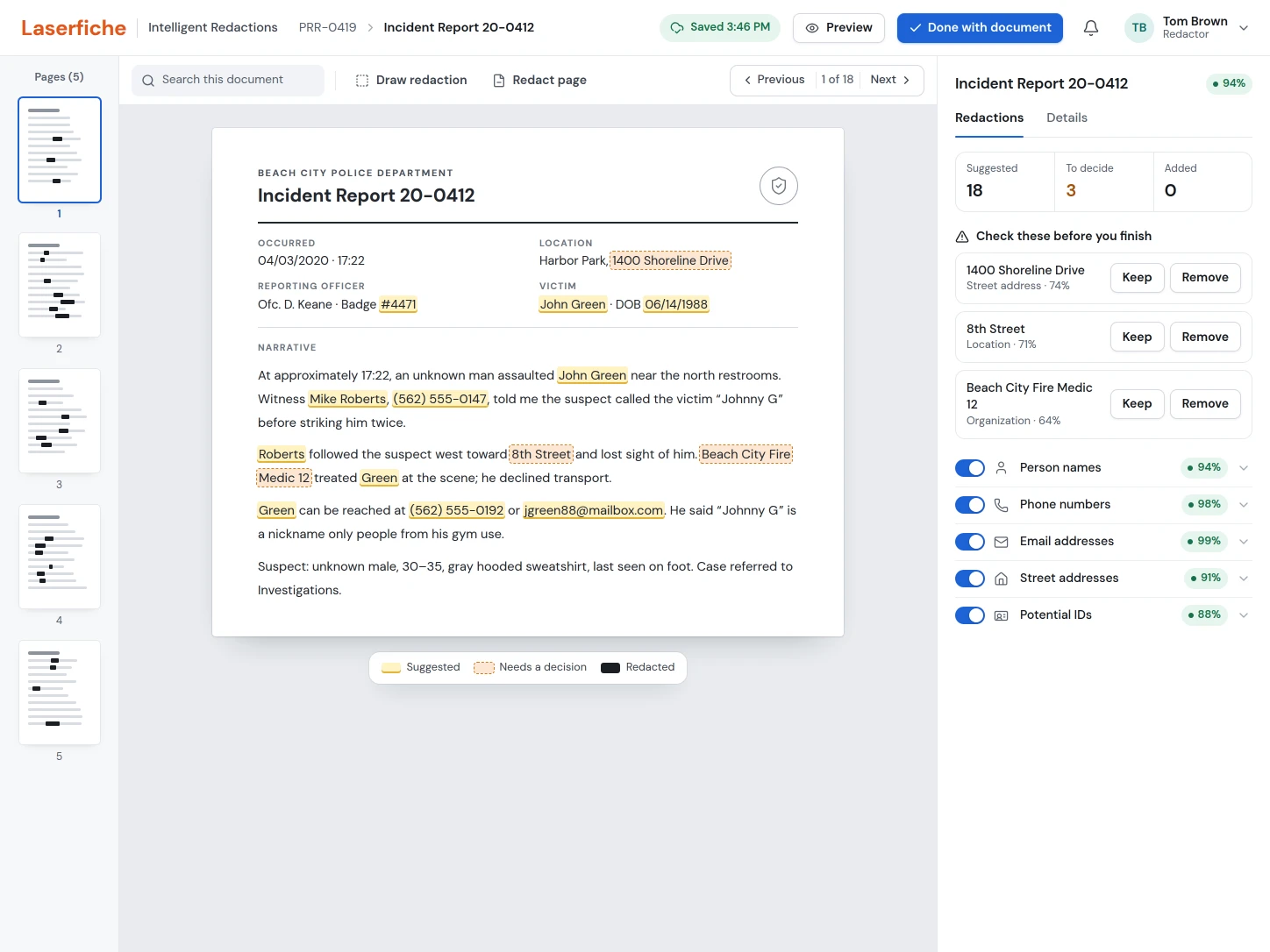
- Progress saves automatically
The document saves to the cloud continuously while the redactor works.
- Decide where the AI is unsure
Lower-confidence suggestions are outlined and listed, so nothing uncertain is redacted, or released, without a person checking it.
Decide on one suggestion
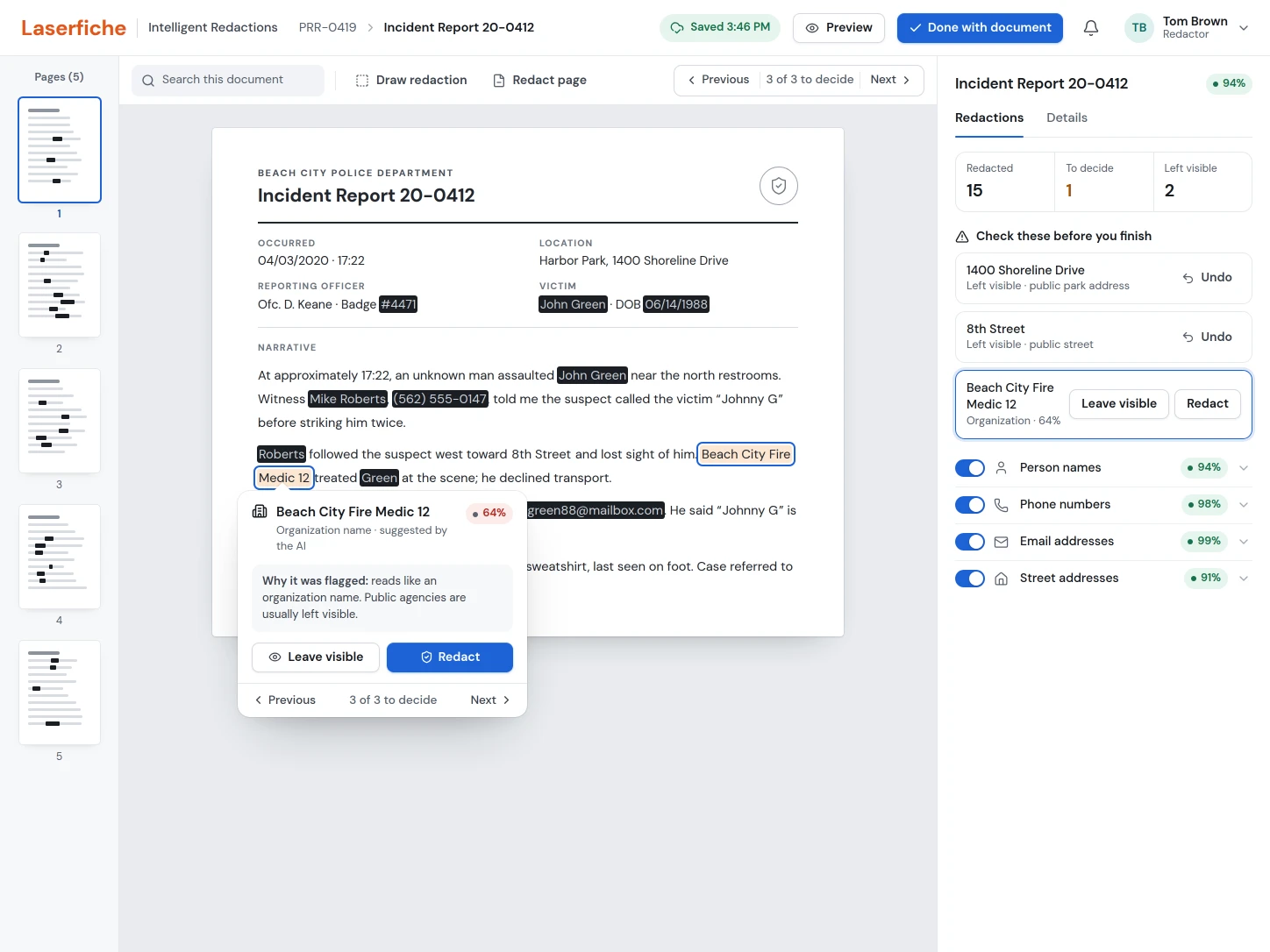
- Step through each one in context
Previous and Next move between the suggestions still to decide without losing your place in the document.
Find the right records across repositories.
Requesters had to search and filter across repositories for the documents that answered a public-records request. The design balanced powerful filters with a simple results view, so people could gather the right set without visiting each repository.
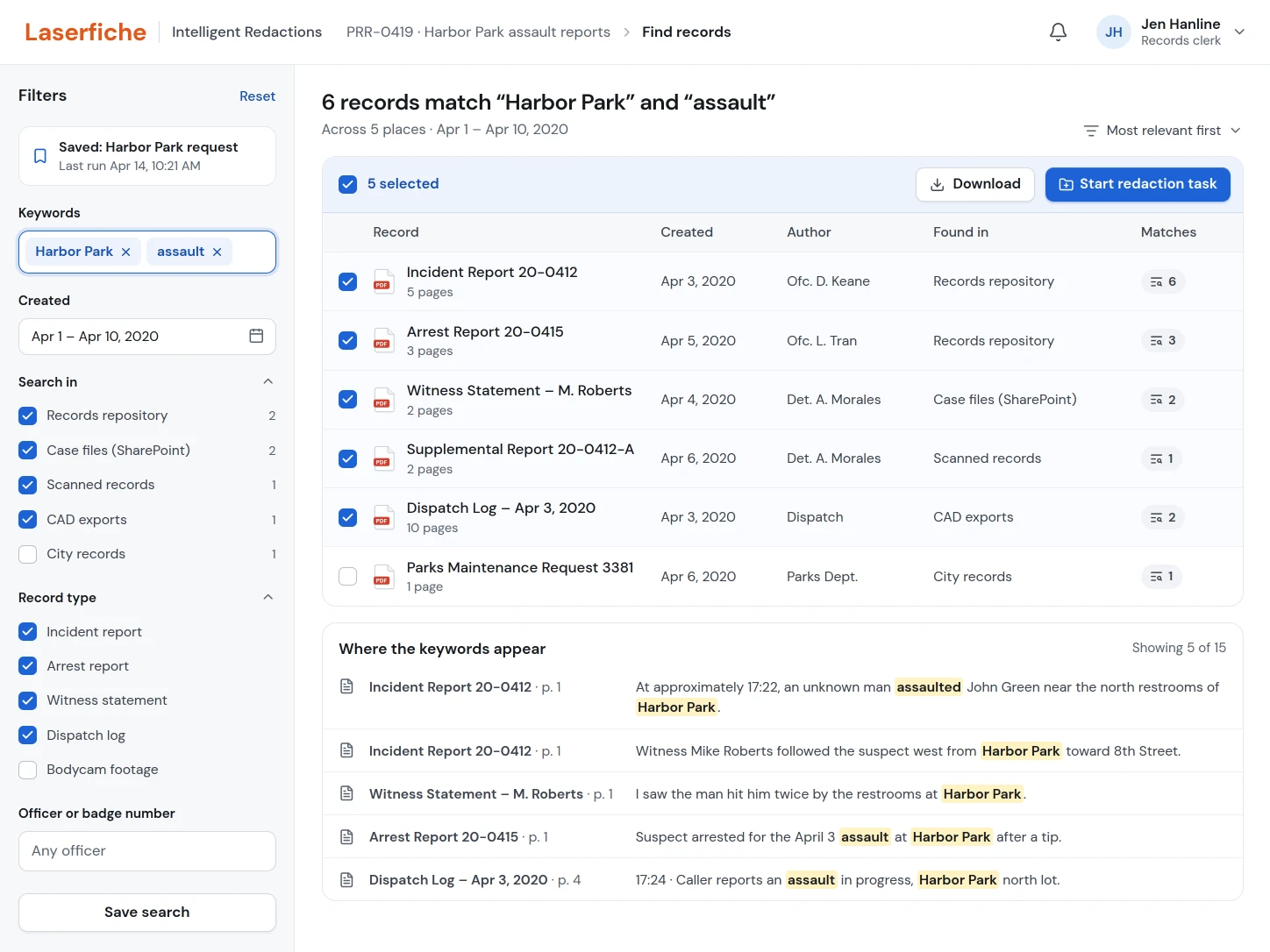
- 01Search every repository at once
Keywords, dates, places and record types narrow the results without a complicated query.
- 02Hand the records straight to redaction
Selected records go into a new redaction task in one step.
A tested direction, even though the roadmap changed.
I used online user testing to learn what law-enforcement teams needed and to find the parts of the experience that caused confusion. The research sharpened the terminology, the responsibilities of each role, the navigation, and the relationship between automated and manual work.
Once the concept was developed, leadership moved in another direction and saved the designs for possible future implementation. The project didn’t ship, so this case study focuses on the clarity we created around the problem, the workflow, and a viable product direction, not an invented launch result.
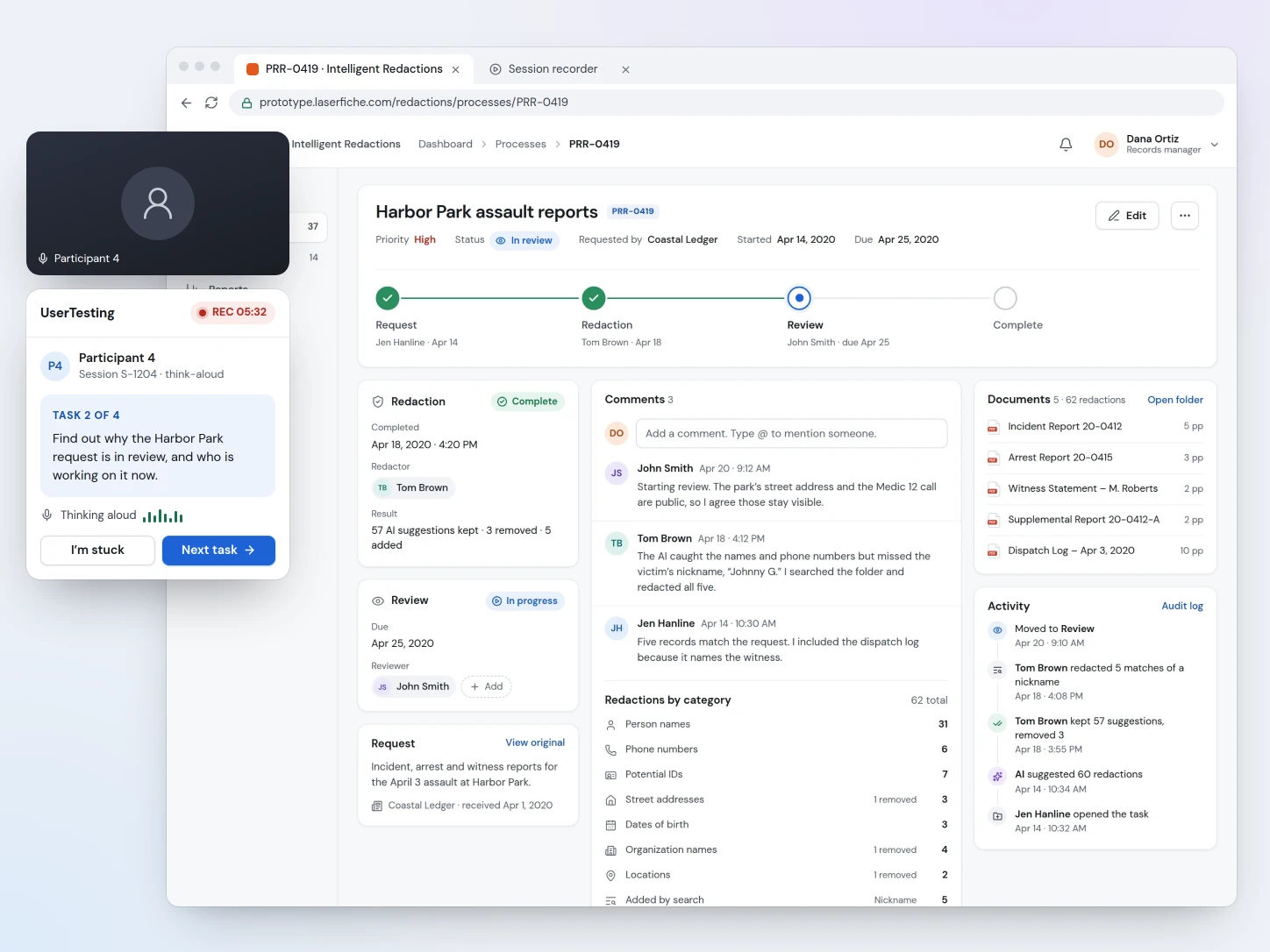
- 01Participants worked through real screens, one task at a time
The recorder kept the current task on screen while participants thought aloud, so the team saw where the workflow lost people instead of relying on memory afterward.
Research earns its keep when the domain is unfamiliar and the stakes are high.
Projects can be deprioritized.
A strong concept can still stop when company priorities change. The work keeps its value when the reasoning and designs are preserved for the future.
Talk to the right people.
Industry marketing helped us reach law-enforcement personnel whose experience challenged assumptions we couldn’t test internally.
Become a domain expert.
Designing for an unfamiliar, high-stakes process meant learning its language, constraints, and consequences well enough to think from the users’ point of view.
Plan before drawing screens.
With four roles and many possible scenarios, research and user flows surfaced missing requirements before interface work made them expensive.
Take a records request from search to release.
Find the Harbor Park reports as Jen and start a redaction task. As Tom, decide on the suggestions the AI wasn’t sure about and catch the nickname it missed. Then release the records as John and watch the process close on Dana’s dashboard. It’s a clickable prototype of the flows above, the records are invented, and nothing you type leaves this page.